
 See Our Latest Article on HelloNation
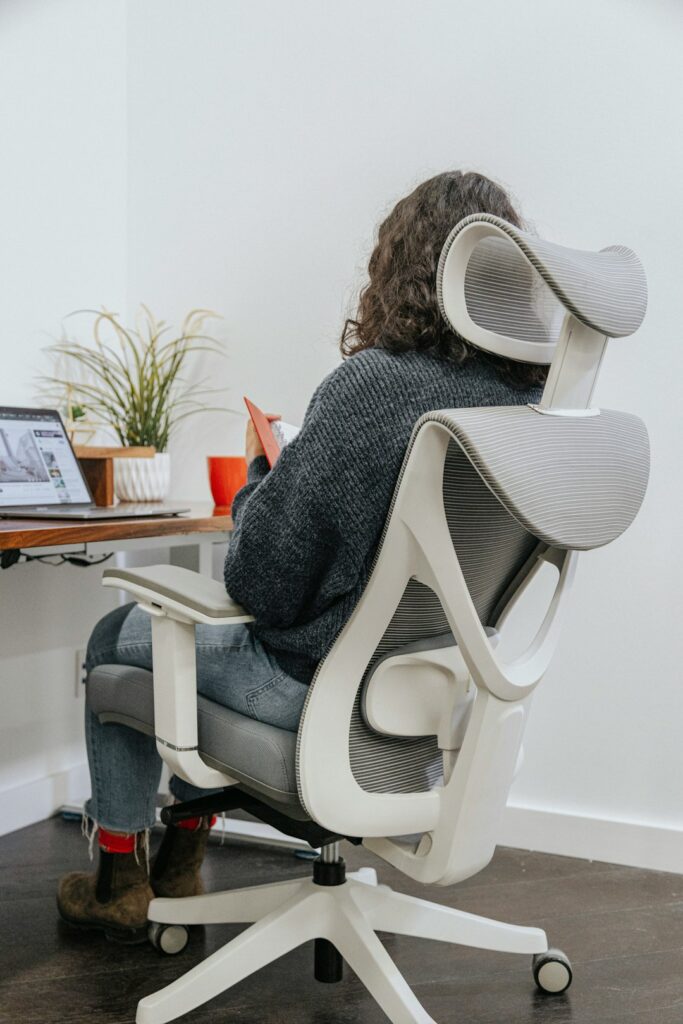
Working from home can make it easier to focus, but it can also encourage long periods of sitting, laptop use, and awkward positions. Improving posture is less about holding the body rigidly and more about arranging the workspace so the head, neck, shoulders, back, wrists, hips, and legs can remain in comfortable, supported positions.
For residents of Suffern, NY, home work areas may include a dedicated office, a dining table, a bedroom corner, or a shared household space. Each setup can be adjusted to reduce strain, even when the available room or furniture is limited.
What does good posture look like at a home workstation?
Good posture is a neutral, supported position that allows the body to work without excessive bending, reaching, or twisting. The goal is comfort and movement, not perfection.
A generally useful seated position includes:
- Head balanced over the shoulders rather than pushed forward
- Shoulders relaxed instead of raised or rounded
- Elbows near the sides of the body
- Forearms roughly parallel to the floor
- Wrists straight rather than sharply bent
- Lower back supported by the chair
- Hips level with or slightly higher than the knees
- Feet supported on the floor or on a stable footrest
The body should face the computer directly. Turning the neck repeatedly toward a monitor placed off to one side can contribute to neck and upper-back discomfort.
How should a laptop or monitor be positioned?
Screen height is one of the most common causes of poor home-office posture. A screen that is too low encourages the head to tilt downward, while a screen that is too far away may lead to leaning forward.
Place the monitor approximately an arm’s length away. The top portion of the screen should be near eye level or slightly below it. The center of the screen may sit lower, especially for people who wear bifocals or progressive lenses.
Laptop users face a built-in compromise: raising the screen improves neck posture but may raise the keyboard too high for comfortable hand and shoulder positioning. For work lasting more than a short period, an external keyboard and mouse can help separate screen height from hand position. A stable riser, shelf, or stack of sturdy books may also raise the laptop screen, provided the setup remains secure.
Avoid working with the laptop in the lap for extended periods. This position usually causes the neck and upper back to round forward and makes it difficult to keep the wrists neutral.
How can a chair and desk reduce back strain?
A chair does not need to be expensive to provide useful support. It should allow the feet to rest securely, the lower back to remain supported, and the shoulders to stay relaxed while typing.
If the chair is too high, the feet may dangle and pressure may build beneath the thighs. If it is too low, the knees may rise above the hips and the elbows may sit too low in relation to the desk. A footrest, firm cushion, or folded blanket can sometimes improve the fit of existing furniture.
The desk should leave enough room for the legs to move freely. Avoid storing boxes, equipment, or household items beneath the desk if they prevent the knees and feet from changing position.
A dining table can work temporarily, but its height may not match the chair or keyboard. If the shoulders remain lifted or the wrists bend upward, adjust the chair, keyboard, or screen rather than trying to force the body to adapt.
Why are movement breaks part of good posture?
Even an excellently arranged workstation can become uncomfortable if the body stays still for hours. Muscles and joints generally tolerate changing positions better than prolonged static postures.
Try building brief movement into the workday:
- Stand or walk for a few minutes between tasks
- Change from sitting to standing when possible
- Roll the shoulders gently and move the neck through a comfortable range
- Stretch the hips, calves, chest, and upper back without forcing any movement
- Look away from the screen regularly to relax the eyes
- Refill water, walk during phone calls, or place frequently used items a short distance away
Short, frequent breaks are often more realistic than waiting for one long break. In a home setting, seasonal routines can help. During cold or snowy periods, indoor walking, stair trips, and brief mobility exercises can prevent the workday from becoming completely sedentary. In warmer months, a short outdoor walk between meetings may provide a useful change in position and visual focus.
Does standing while working fix poor posture?
Standing can provide a helpful change of position, but it is not automatically better than sitting. A standing workstation still requires the screen, keyboard, and mouse to be positioned correctly.
When standing:
- Keep the screen directly in front of the body
- Keep the keyboard near elbow height
- Relax the shoulders and avoid locking the knees
- Distribute weight between both feet
- Shift position regularly instead of standing motionless
- Use a supportive surface rather than balancing on an unstable platform
Alternating between sitting and standing is generally more useful than trying to stand for the entire workday. Movement remains the central goal.
What posture mistakes are common in home offices?
Several habits frequently create unnecessary strain:

Working from a couch: Soft cushions allow the pelvis to sink and the spine to round. The laptop is often placed too low, creating a forward head position.
Using a bed as a desk: A bed rarely supports the hips, back, and feet in a stable working position. It may be reasonable for a short task but is usually unsuitable for a full workday.
Keeping the monitor to the side: This encourages repeated neck rotation and uneven shoulder positioning.
Reaching for the mouse: A mouse placed too far away can cause the shoulder to reach forward and remain tense. Keep it close to the keyboard.
Holding a phone between the ear and shoulder: This compresses the neck and may aggravate shoulder discomfort. Use a headset, speaker function, or hold the phone in the hand while changing positions.
Trying to sit perfectly still: Posture is not a pose that must be maintained without movement. Frequent adjustment is healthier than rigid bracing.
When should posture-related pain be evaluated?
Mild stiffness that improves after changing position or moving around is common. Persistent, worsening, or disruptive symptoms deserve closer attention.
Medical evaluation is particularly appropriate for pain accompanied by:
- Numbness or tingling that persists
- Weakness in an arm or leg
- Loss of coordination or grip strength
- Pain that travels down an arm or leg
- Severe headaches, dizziness, or vision changes
- Loss of bowel or bladder control
- Symptoms following a fall, collision, or other injury
A chiropractor, physical therapist, physician, or other qualified clinician may assess whether symptoms are related to posture, joint movement, muscle overload, nerve irritation, or another condition. Workstation adjustments can support recovery, but they should not replace evaluation when warning signs are present.
A simple home workstation check
At the end of the workday, take two minutes to review the setup:
- Is the screen directly in front of the body?
- Is the screen high enough to avoid constant neck bending?
- Are the shoulders relaxed while typing?
- Are the elbows close to the sides?
- Are the wrists mostly straight?
- Is the lower back supported?
- Are both feet supported?
- Can the body change position easily?
- Are movement breaks built into the schedule?
If several answers are no, change one feature at a time. Raising the screen, moving the keyboard closer, adding foot support, or repositioning the chair may produce more benefit than purchasing new equipment. The most sustainable posture is usually the one supported by a workspace that allows regular movement, comfortable alignment, and practical adjustments throughout the day.
